
Designing a Form Framework
Designing a coherent, comprehensive, and rationalised framework for form-based experiences that drives UX improvement at scale.
The humble form…
Let's be honest, designing forms is often the most overlooked and least glamorous part of our job as UX Designers. It’s the essential, boring reality of all major SaaS software - the place where every invoice is filed, every goal is set, and every critical piece of data is entered. The enterprise form is the plumbing of the software world—invisible when it works, and a major catastrophe when it doesn't. While it lacks the visual excitement of a brand new feature, forms account for the vast majority of human-to-data interaction in our platform. Recognising this critical, yet overlooked, reality, I championed the Forms Framework.
Originally a side of desk conversation between me and a fellow designer Michael we realised that we needed to communicate to Workmates that given the enormity of the problem, this was more important than building a new feature; it was about defining and then modernising an existing system that would standardise the look, feel, and logic of every form, transforming our deepest experience debt into our biggest opportunity for UX improvement.
Legacy interface design solutions some almost seven years old at Workday were slowing users down, increasing cognitive load needlessly, or making simple tasks cumbersome to complete. Unfortunately with the way the system was built we didn’t have a single CSS file that we could easily edit to roll out platform wide changes but we knew what good looked like, so to truly modernise our platform UX we had to create some well evidenced standards and lay the foundation for the future.
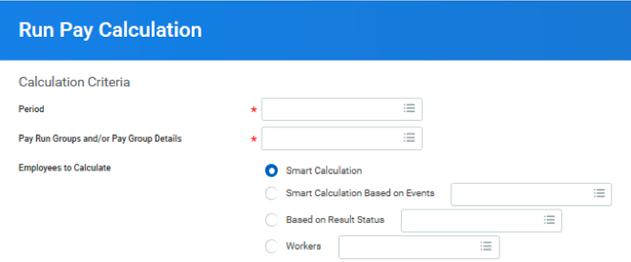
A poorly rendered form in Workday with ragged edges, misaligned labels, and lack of semantic hierarchy
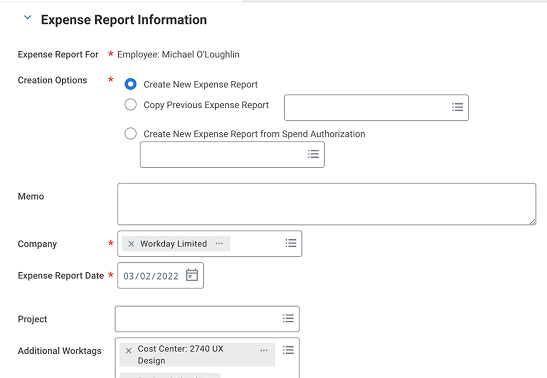
Another example of a poorly designed form, with side aligned labels.
The Goal:
Create a Forms Framework a coherent, comprehensive, and rationalised system that would promote the re-use and standardisation of form based experiences across the entire Workday platform (hundreds of applications and thousands of tasks). This framework was intended to drive improvement of UX at scale while aligning disparate teams worldwide towards a single, measurable objective.
My Role & Leadership
As the Principal UX Designer on this initiative, my role encompassed defining the strategy, designing framework templates, and driving cross-functional alignment.
Strategic Research & Vision: Defined the vision for the future of forms—moving from traditional form-filling to automating away the drudgery via capabilities like autofill, Micro TX, and smart suggestions.
System Definition: Defined the Scorecards, design principles, and the flexible density scaling system (Tight/Relaxed/Loose).
Cross-Functional Alignment: Aligned on a strategic goal, cohering conceptually disconnected efforts across UI Platform, Product, and Engineering into a larger systems-wide approach tied to an OKR to create sustainable decision making
Prototyping & Validation: Led the prototyping and early L.E.A.P. Experimentation to validate improved designs for key tasks like "Updating Goals" and "Edit Supplier Invoice".
Platform wide challenges to solve

Before the forms framework
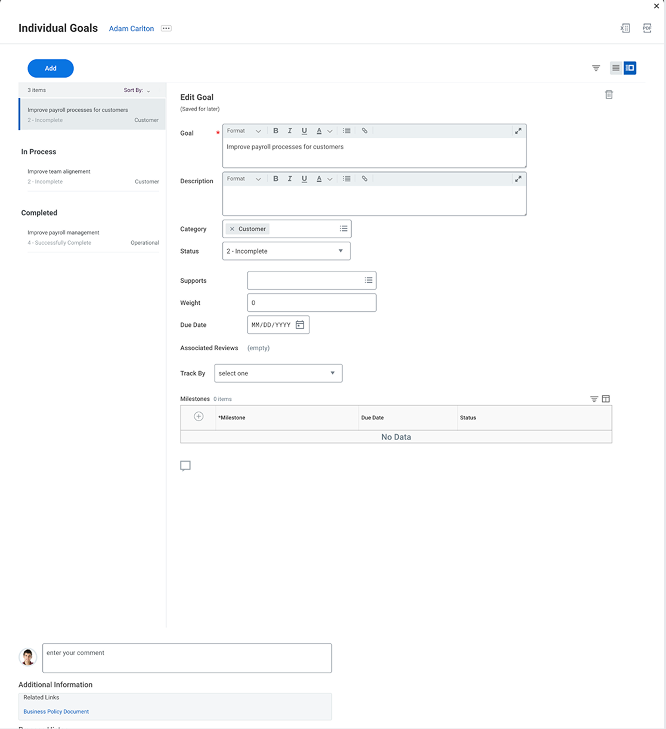
After the forms framework
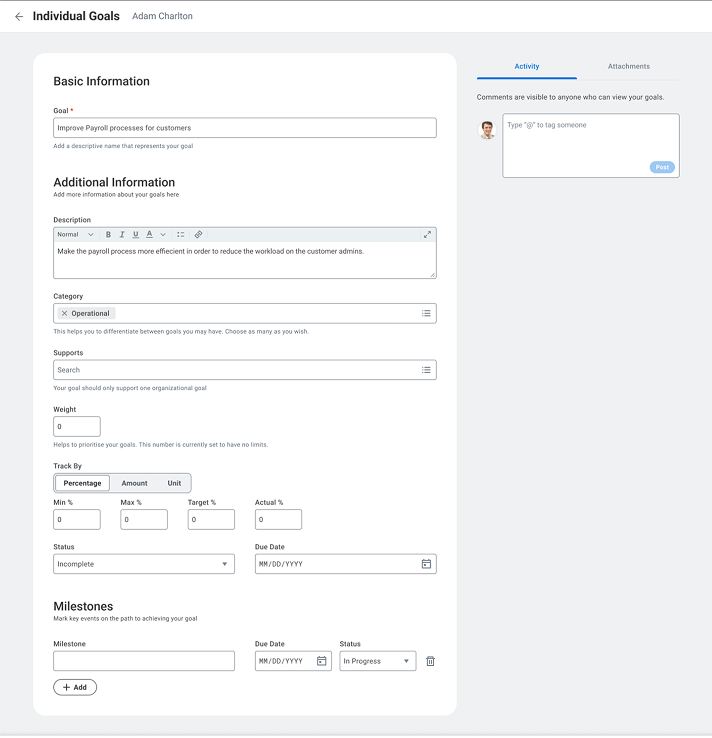
A vision for the future to automate form filling with Machine Learning
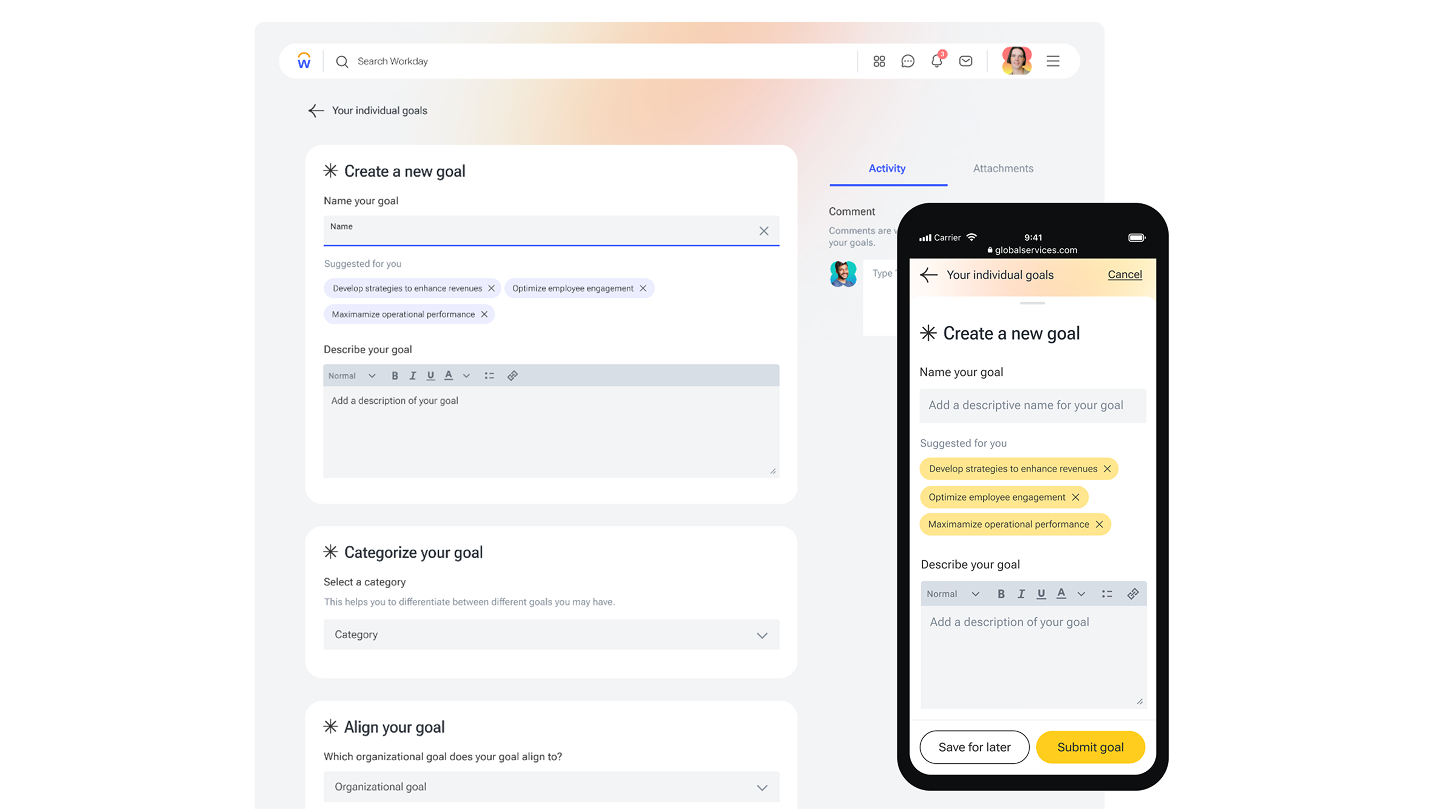
Creating guidelines to drive consistency
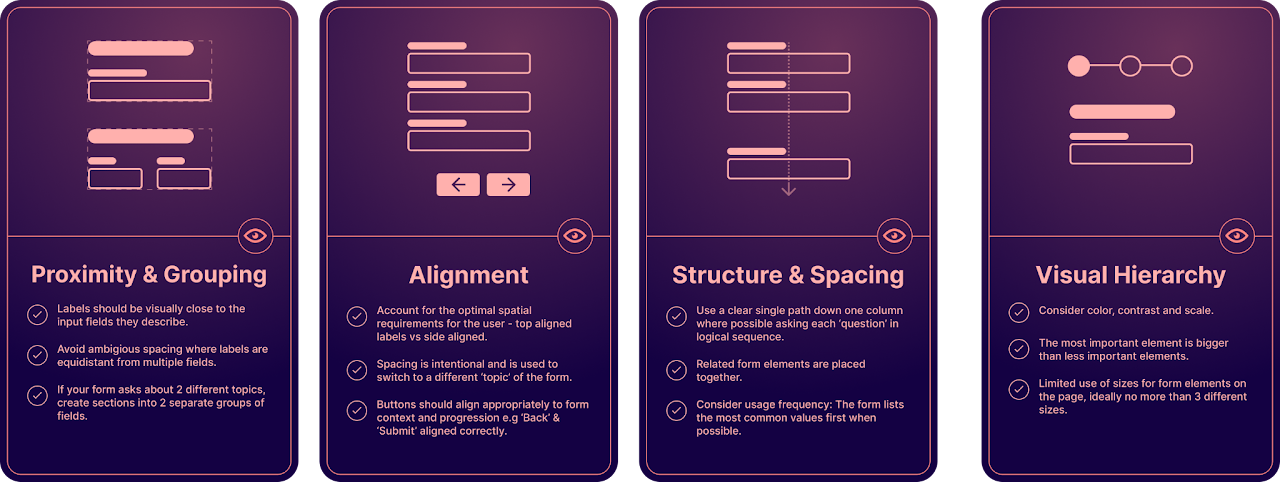
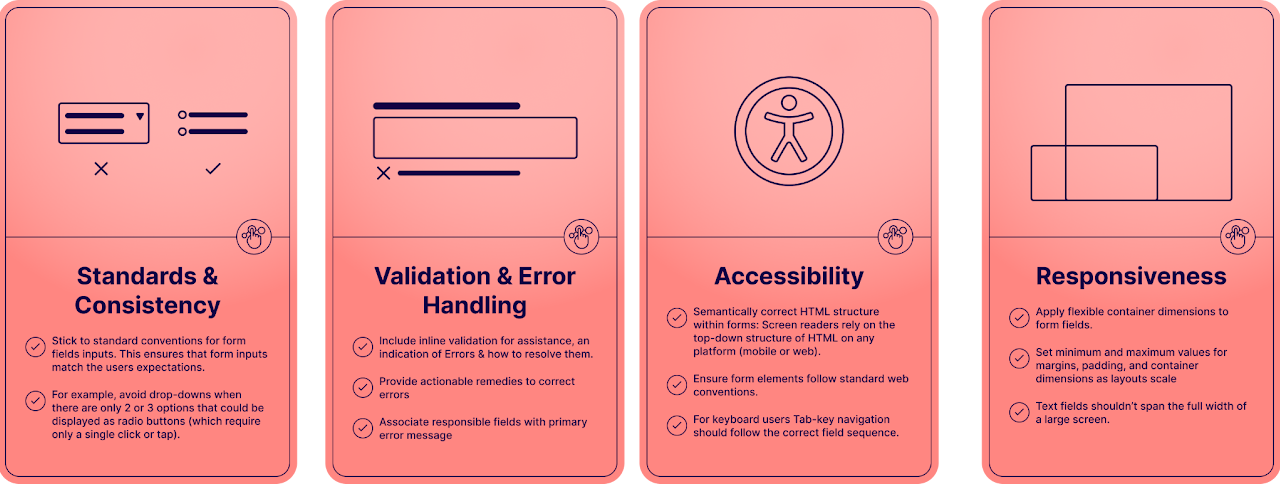
We designed scorecards to cover two areas of UI design, the visual aspect (The Look) and how the form functions or behaves to the users interactions (The Feel). Using the Ratings Rubric scoring system, and the Scorecards as our guide, will help us optimize the look and feel of our forms.
New Visual Design Guidelines
New Interaction Design Guidelines
Metrics
For users
Reduced completion times.
Reduction in errors & task abandonment.
Accessibility improvement.
Continuous Heuristic Evaluation (scorecard)
Sentiment improvement
For Workmates
Evidence of reduced time spent on implementation for form based tasks.
Evidence of higher fidelity between what is designed and what gets built.
Time/effort to uptake by application teams.
Number of teams utilizing the framework.

“Initial research on an updated goal creation form showed a +20% increase in Usability, this is a huge impact when you consider Workday serves over 65 million users across its global customer base”